SPF vs DKIM vs DMARC: Key Differences and Setup Guide for Cold Email in 2026
If you’re running cold email campaigns, SPF, DKIM, and DMARC are important parts of your email authentication setup. They help receiving mail systems verify where messages came from, confirm message integrity, and apply authentication policies to your sending domain.
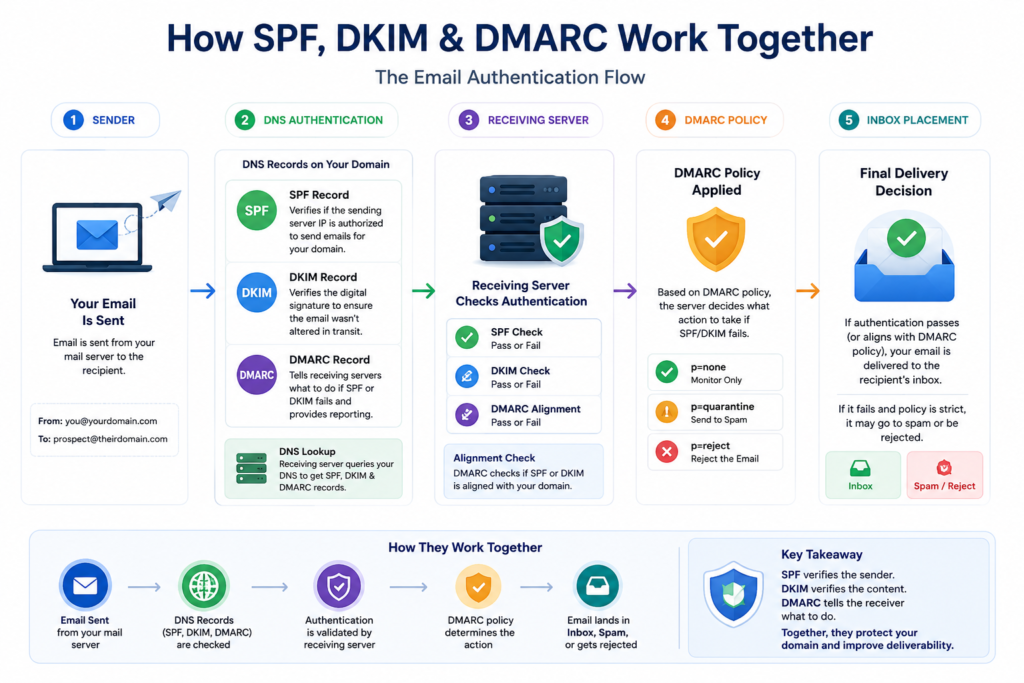
Although SPF, DKIM, and DMARC work together, each serves a different purpose. SPF identifies authorized sending servers, DKIM adds a verifiable signature to outgoing messages, and DMARC uses SPF and DKIM results to support domain alignment, reporting, and policy enforcement.
In this guide, we’ll explain SPF vs DKIM vs DMARC, how each authentication method works, their key differences, and how to configure them as part of a reliable cold email infrastructure.
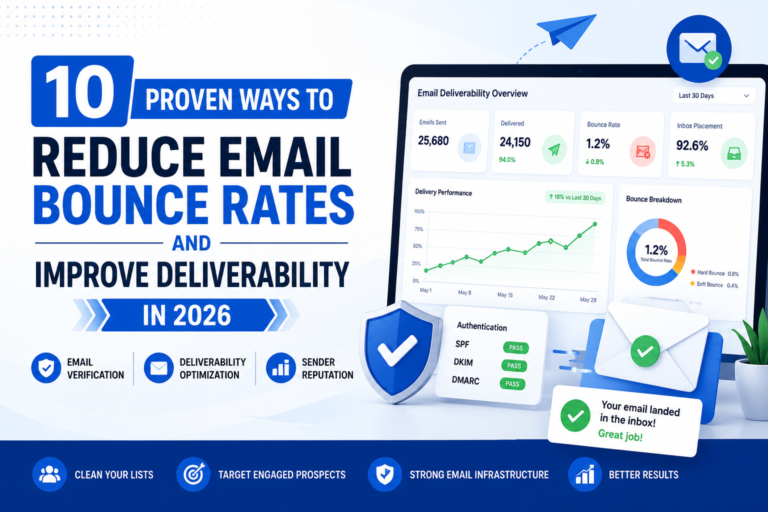
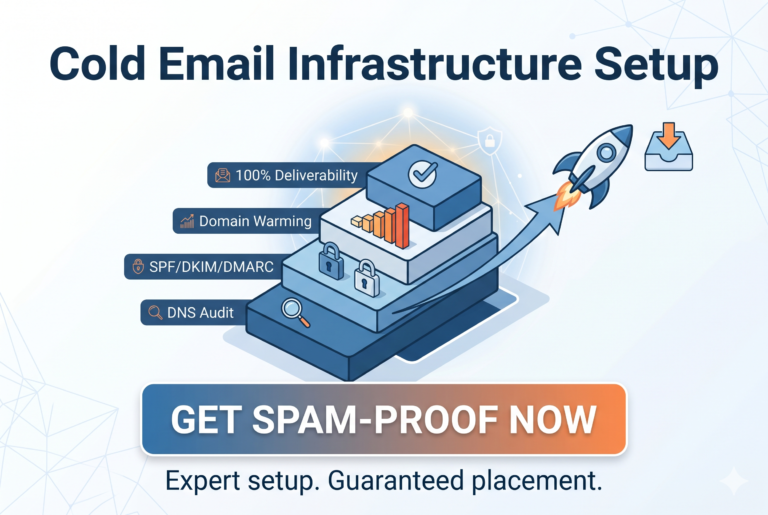
If you’re still building your overall sending environment, read our Cold Email Infrastructure Guide to understand how domains, inboxes, authentication, sending platforms, and monitoring work together.
What Is Email Authentication?
Email authentication is the process of verifying that an email was actually sent by the domain it claims to come from.
Without authentication:
- Emails may be flagged as suspicious
- Domains can be spoofed
- Deliverability suffers
- Spam complaints increase
The three primary authentication methods are:
- SPF
- DKIM
- DMARC
What Is SPF?
SPF (Sender Policy Framework) tells receiving mail servers which servers are authorized to send emails on behalf of your domain.
How SPF Works
When you send an email:
- Receiving server checks SPF record.
- Verifies sending server IP.
- Confirms authorization.
- Passes or fails authentication.
Example SPF Record
v=spf1 include:_spf.google.com ~all
This record allows Google Workspace servers to send emails for your domain.
Benefits of SPF
- Reduces spoofing
- Improves sender trust
- Helps email providers verify senders
SPF Limitation
- SPF alone does not guarantee inbox placement.
- Many cold email senders incorrectly assume SPF is enough. It’s not.
What Is DKIM?
DKIM (DomainKeys Identified Mail) adds a digital signature to every outgoing email.
This signature proves:
- The email was not altered
- The message originated from your domain
How DKIM Works
- Email is signed using a private key.
- Public key is stored in DNS.
- Receiving server validates signature.
If the signature matches: DKIM passes.
Benefits of DKIM
- Protects message integrity
- Improves trust signals
- Supports DMARC alignment
Why DKIM Matters
- Modern mailbox providers heavily rely on DKIM when evaluating email legitimacy.
- Without DKIM, deliverability can suffer even if SPF passes.
What Is DMARC?
DMARC (Domain-based Message Authentication, Reporting, and Conformance) builds on SPF and DKIM.
It tells receiving servers what action to take if authentication fails.
DMARC Policies
- None – Monitor only.
Example: v=DMARC1; p=none;
- Quarantine – Send suspicious emails to spam.
Example: v=DMARC1; p=quarantine;
- Reject – Reject unauthorized emails entirely.
Example: v=DMARC1; p=reject;
Benefits of DMARC
- Prevents domain spoofing
- Improves brand protection
- Provides reporting visibility
- Strengthens deliverability
SPF vs DKIM vs DMARC: Key Differences
|
Feature |
SPF |
DKIM |
DMARC |
|
Verifies Sender |
Yes |
Yes |
Yes |
|
Uses DNS Record |
Yes |
Yes |
Yes |
|
Prevents Spoofing |
Partial |
Partial |
Strong |
|
Protects Message Integrity |
No |
Yes |
Indirectly |
|
Provides Reporting |
No |
No |
Yes |
|
Required for Modern Deliverability |
Yes |
Yes |
Yes |
Simple Analogy:
- SPF = Driver’s License
- DKIM = Signed Contract
- DMARC = Security Policy
All three work together to establish trust.
Many cold email senders search for SPF vs DKIM vs DMARC because they want to know which authentication method is most important. The reality is that SPF, DKIM, and DMARC are not competing technologies. They work together as a complete email authentication framework that improves sender reputation and inbox placement.
Why SPF vs DKIM vs DMARC Matters for Cold Email Deliverability
Cold email deliverability depends heavily on trust signals.
Mailbox providers evaluate:
- Authentication
- Engagement
- Sending reputation
- Domain reputation
When authentication is missing:
- Emails hit spam
- Open rates decline
- Reply rates drop
If you’re struggling with inbox placement, also review our guide on reducing email bounce rates and improving deliverability.
How to Set Up SPF, DKIM, and DMARC
Step 1: Configure SPF
Add SPF TXT record to DNS.
Example:
v=spf1 include:_spf.google.com ~all
Only include authorized sending services.
Step 2: Enable DKIM
Inside your email provider:
- Generate DKIM key
- Add DNS record
- Verify configuration
- Enable signing
Most providers offer automated setup.
Step 3: Create DMARC Record
Start with monitoring mode.
Example:
v=DMARC1; p=none; rua=mailto@yourdomain.com
Collect reports first.
Step 4: Review Reports
Analyze:
- SPF failures
- DKIM failures
- Unauthorized senders
Step 5: Increase Enforcement
Progression:
p=none → p=quarantine → p=reject
This reduces risk while monitoring issues.
Real-World Deliverability Example
A lead generation agency was sending approximately 500 cold emails daily across multiple domains.
Performance suddenly dropped:
- Open rates below 18%
- Spam folder placement increased
- Reply rates nearly disappeared
After auditing the infrastructure:
- SPF existed
- DKIM was disabled
- DMARC was missing
Team enabled DKIM signing and implemented a DMARC monitoring policy.
Within several weeks:
- Inbox placement improved
- Spam complaints decreased
- Reply rates recovered
Conclusion: Authentication issues often appear before obvious deliverability problems.
Recommended Tools
Google Admin Console
- Use Case: Manage SPF and DKIM for Google Workspace domains.
- Why It Matters: Centralized email authentication management.
Use Case: Cold email campaign management.
Why It Matters: Supports deliverability monitoring and infrastructure scaling.
Use Case: Multi-inbox cold email outreach.
Why It Matters: Popular among agencies running large outbound campaigns.
DMARC Analyzer
Use Case: Monitor DMARC reports.
Cold Email Authentication Checklist
Cold Email Authentication Checklist
Before launching campaigns:
- SPF record configured
- DKIM enabled
- DMARC record published
- Domain verified
- Sending platform authenticated
- Test emails delivered successfully
- DNS records validated
- Monitoring enabled
- Bounce rates reviewed
- Inbox placement tested
Common Mistakes
- Using SPF Alone
- Many senders believe SPF is enough.
- Solution: Always combine SPF, DKIM, and DMARC.
- Multiple SPF Records
- Having multiple SPF records causes failures.
- Solution: Maintain a single SPF record.
- Skipping DMARC
- Many businesses never implement DMARC.
- Solution: Start with p=none and gradually enforce.
- Not Monitoring Reports
- Authentication problems often go unnoticed.
- Solution: Review DMARC reports regularly.
- Poor Infrastructure Setup
- Authentication cannot fix poor infrastructure.
- Solution: Build proper cold email infrastructure before scaling.
Troubleshooting Guide
Issue: SPF Failures
- Root Cause: Unauthorized sending service.
- Fix:Update SPF record to include correct sender.
Issue: DKIM Failure
- Root Cause: Incorrect DNS key.
- Fix: Verify DKIM selector and DNS propagation.
Issue: DMARC Failure
- Root Cause: SPF or DKIM alignment problem.
- Fix: Check authentication alignment settings.
Issue: Emails Going to Spam
- Root Cause: Authentication is only one factor.
- Fix:
- Review:
- Sending volume
- Domain reputation
- Engagement metrics
- Bounce rates
- Review:
If you’re still confused about SPF vs DKIM vs DMARC, remember this simple rule: SPF verifies the sending server, DKIM verifies the message integrity, and DMARC tells receiving servers how to handle authentication failures. Using all three is considered a best practice for cold email in 2026.
Conclusion
Understanding SPF vs DKIM vs DMARC is essential for modern cold email success.
SPF verifies who can send email. DKIM verifies message integrity. DMARC enforces authentication policies and provides visibility.
Together, they create the foundation of strong email deliverability and domain protection. Whether you’re running outbound campaigns for your agency, SaaS company, or sales team, these authentication records should be configured before sending your first cold email.
FAQs on SPF vs DKIM vs DMARC
Is SPF enough for cold email?
No. SPF should be combined with DKIM and DMARC for proper authentication and deliverability.
Which is more important: SPF or DKIM?
Both are important, but DKIM is increasingly relied upon by mailbox providers for trust and alignment.
Should I use DMARC for cold email?
Yes. DMARC helps prevent spoofing and improves sender reputation.
What DMARC policy should I start with?
Start with p=none to monitor reports before moving to quarantine or reject.
How can I check if SPF, DKIM, and DMARC are working?
Use email authentication testing tools and review DMARC reports regularly.
In SPF vs DKIM vs DMARC, which is most important?
All three are important. SPF, DKIM, and DMARC serve different purposes and work together to improve email authentication, domain protection, and cold email deliverability.