How Many Domains and Inboxes Do You Need for Cold Email ?
How many domains for cold email do you actually need? The answer depends on your daily sending target, how many emails you send from each inbox, and how many inboxes you operate on each domain.
Instead of pushing hundreds of cold emails through one mailbox, a scalable cold email infrastructure spreads sending activity across multiple inboxes and secondary domains.
In this guide, you’ll learn how to calculate the number of domains and inboxes you need for different sending volumes from 100 to 5,000 cold emails per day.
Quick Answer
If you’re using 25 cold emails per inbox per day as a planning assumption, here’s a quick estimate:
| Daily Sending Volume | Inboxes Needed | Domains Needed (2–3 Inboxes/Domain) |
|---|---|---|
| 100/day | 4 | 2 |
| 500/day | 20 | 7-10 |
| 1,000/day | 40 | 14-20 |
| 2,000/day | 80 | 30-40 |
These are planning estimates, not universal sending limits. Your actual setup should be adjusted based on sender reputation, list quality, engagement, mailbox provider, and overall deliverability performance.
Why Use Multiple Domains and Inboxes for Cold Email?
The reason is simple: you don’t want all of your outbound volume concentrated on one mailbox—or on your primary business domain.
Multiple inboxes let you distribute sending volume. Multiple domains give you another layer of separation, so an issue with one part of your outbound setup doesn’t affect everything at once.
A typical structure looks like this:
Primary domain: normal business, client and team communication
Secondary domains: cold outreach
Sending inboxes: distribute daily campaign volume
The goal isn’t to buy as many domains as possible. It’s to have enough infrastructure for your target volume without putting unnecessary pressure on individual senders.
How Many Cold Emails Should You Send Per Inbox?
There’s no universal “safe” daily sending number.
For the calculations in this guide, we’ll use 25 cold emails per inbox per day as a conservative planning assumption. That gives us a consistent number for estimating infrastructure it isn’t a guarantee of inbox placement or a hard provider limit.
Google also recommends increasing sending volume gradually rather than making sudden jumps, while monitoring delivery performance, spam rates, and domain reputation. You can review Google’s official Email Sender Guidelines for its current sender requirements and recommendations.
Mailbox providers also enforce their own technical limits. For example, Microsoft documents specific Exchange Online sending limits, but provider maximums shouldn’t be treated as recommended cold email volumes.
Your actual sending capacity depends on factors such as domain history, sender reputation, list quality, authentication, engagement, bounce rates and spam complaints.
If an inbox is performing well, scale carefully based on real deliverability data rather than assuming you can keep increasing volume indefinitely.
How Many Inboxes Do You Need for Cold Email?
If you’re wondering how many inboxes for cold email you need, start with your desired daily sending volume and work backward from a reasonable per-inbox planning range.
Then divide that number by the amount of cold email you intend to send from each inbox.
Cold Email Inbox Formula
Use:
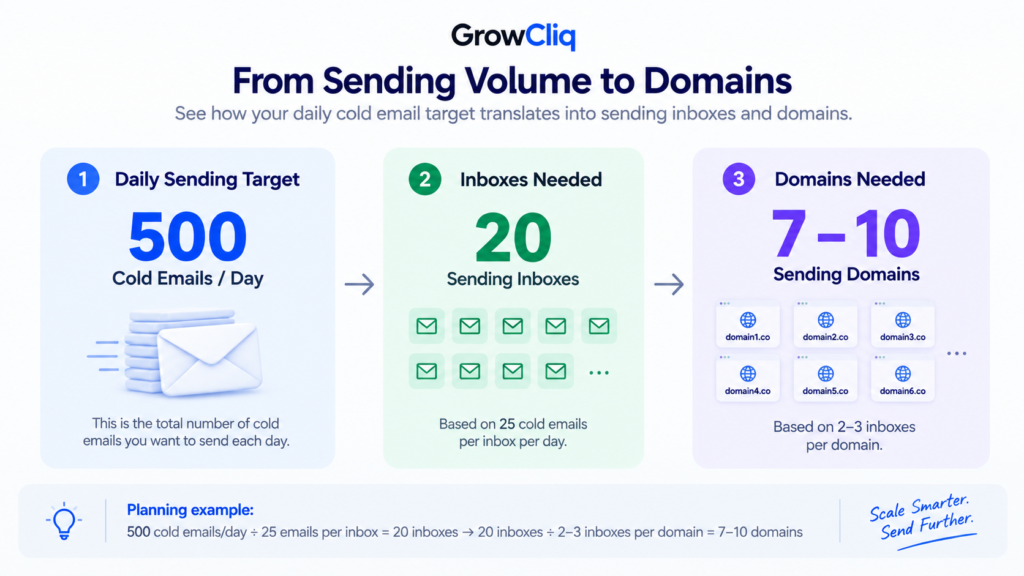
Inboxes needed = Daily cold email target ÷ Planned emails per inbox
If you’re using 25 emails per inbox for planning:
500 emails/day ÷ 25 = 20 inboxes
How Many Inboxes Per Domain Should You Use for Cold Email?
Once you know how many inboxes you need, the next question is how to distribute those inboxes across your sending domains.
A conservative structure is usually around:
2–3 sending inboxes per domain
For example:
Domain 1
Domain 2
Domain 3
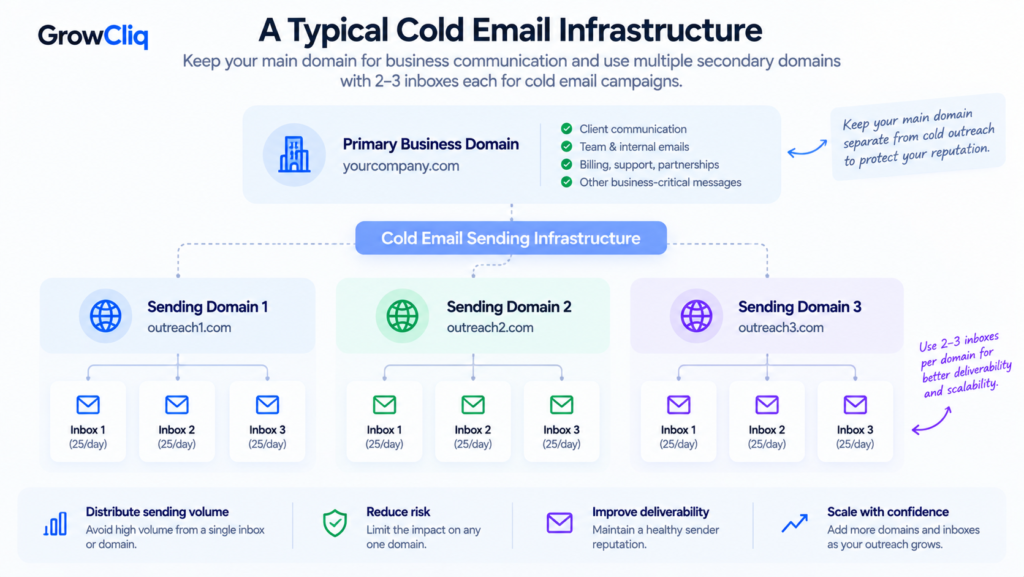
The purpose is not that a domain technically cannot host more mailboxes. It can.
The issue is risk concentration. If you operate many high-volume sending inboxes from one domain, all of that activity is tied to the same domain.
If the domain develops deliverability or reputation problems, a larger percentage of your total sending infrastructure can be affected at once. Spreading inboxes across several properly configured domains makes your infrastructure easier to manage and gives you more flexibility when troubleshooting problems.
How Many Domains Do You Need for Cold Email?
To estimate how many domains for cold email you’ll need, take your total inbox requirement and divide it by the number of inboxes you plan to run on each domain.
Once you know your inbox requirement, calculating domains becomes straightforward.
Use:
Total inboxes ÷ Inboxes per domain = Domains required
Always round up when the result isn’t a whole number.
Suppose you need 20 inboxes.
At 2 inboxes per domain:
20 ÷ 2 = 10 domains
At 3 inboxes per domain:
20 ÷ 3 = 6.67
So you would need approximately 7 domains.
Your final number therefore depends on how aggressively or conservatively you want to distribute your mailboxes.
Cold Email Domains and Inboxes by Sending Volume
The quick-answer table above gives you a starting point. Here’s the full breakdown for planning larger campaigns, using 25 cold emails per inbox per day and 2–3 inboxes per sending domain.
| Daily Sending Target | Inboxes Needed | Domains at 2 Inboxes/Domain | Domains at 3 Inboxes/Domain |
|---|---|---|---|
| 100/day | 4 | 2 | 2 |
| 250/day | 10 | 5 | 4 |
| 500/day | 20 | 10 | 7 |
| 1,000/day | 40 | 20 | 14 |
| 2,000/day | 80 | 40 | 27 |
| 5,000/day | 200 | 100 | 67 |
Not sure which setup to choose? Start with your expected daily sending volume, calculate the inboxes you need, and round your domain requirement up rather than trying to maximize every domain. If you expect your outreach volume to grow soon, leave some capacity instead of building an infrastructure that’s already at its planned limit.
You may choose different assumptions depending on your provider, infrastructure health, sending history, risk tolerance, and campaign performance.
Should You Use Your Main Domain for Cold Email?
or consistent or higher-volume outbound campaigns, it’s generally better to keep cold outreach separate from your primary business domain.
Your main domain handles important communication—client conversations, employee email, billing, support, partnerships, and other business-critical messages. There’s little reason to expose all of that communication to the same reputation risks as outbound prospecting.
Using secondary domains for cold email creates separation between your day-to-day business communication and outbound campaigns.
But secondary domains shouldn’t be treated as disposable assets. They still need proper authentication, sensible sending patterns, good list quality, and ongoing reputation monitoring.
Don’t Forget About SPF, DKIM, and DMARC
Buying additional domains and creating inboxes isn’t enough.
Every sending domain needs a proper technical foundation.
At minimum, review:
SPF — identifies servers authorized to send email for your domain.
DKIM — adds a cryptographic signature that allows receiving systems to verify that a message was authorized and wasn’t altered in transit.
DMARC — builds on SPF and DKIM and provides instructions for handling authentication failures while giving domain owners visibility through reporting.
Incorrect authentication can undermine an otherwise well-planned cold email infrastructure.
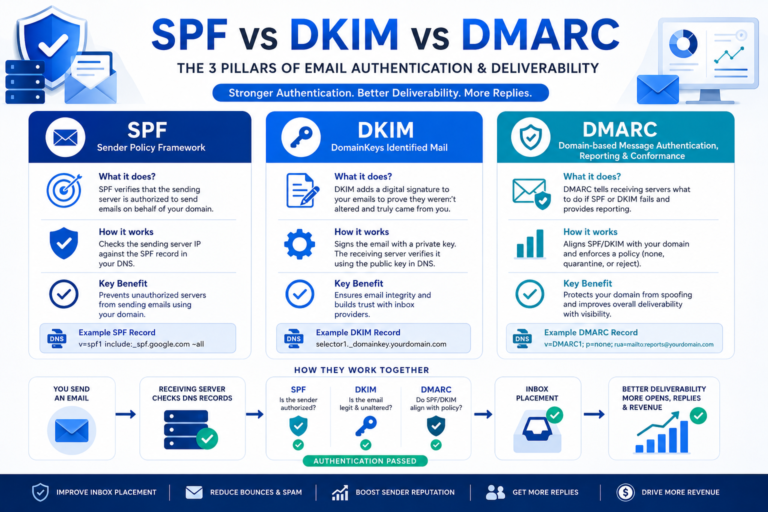
Before sending from a new domain, make sure authentication is configured correctly. Our SPF vs DKIM vs DMARC guide for cold email explains what each record does and how they work together.
Why More Inboxes Aren’t a Fix for Poor Deliverability
Adding domains and inboxes gives you additional sending capacity. It doesn’t fix a bad campaign.
If your emails are going to spam because you’re contacting poor-quality lists, generating high bounce rates, receiving spam complaints, or sending irrelevant messages, adding 50 more inboxes simply scales the underlying problem.
Before increasing infrastructure, monitor:
- Bounce rate
- Spam complaints
- Reply quality
- Inbox placement
- Domain reputation
- Authentication
- List quality
- Sending patterns
Scaling should happen only when your existing infrastructure and campaigns are healthy.
When Should You Add More Domains and Inboxes?
Don’t wait until every inbox is operating at the maximum volume you’re comfortable with. If your campaign is working and you expect sending requirements to increase, prepare additional infrastructure before you need it.
New domains and inboxes may require configuration, authentication, testing, and a gradual ramp-up period. Planning ahead prevents a situation where your sales team needs twice the sending capacity tomorrow but your infrastructure isn’t ready.
Consider expanding when:
- Your daily sending target is increasing
- Existing inboxes are approaching your planned volume
- You’re launching additional campaigns
- You’re adding new markets or client accounts
- You need more redundancy
- You want to separate campaigns or sending environments
Infrastructure should scale with your outreach requirements rather than reacting to them after capacity becomes a bottleneck.
Common Mistakes When Scaling Cold Email Infrastructure
1. Sending Too Much From One Inbox
A mailbox provider’s technical limit isn’t a recommended cold email target. Keep cold outreach volume controlled and monitor deliverability as you scale.
2. Putting Too Many Sending Inboxes on One Domain
This concentrates a larger portion of your outbound activity on a single domain. Distributing inboxes across multiple domains reduces that concentration.
3. Using the Primary Business Domain
Cold outreach can expose a domain to bounces, complaints, and reputation issues. Separating outreach infrastructure helps protect business-critical email.
4. Scaling Before Fixing List Quality
More domains and inboxes won’t compensate for a poor-quality prospect list. Invalid addresses increase hard bounces and can damage sender reputation before your infrastructure has a chance to perform.
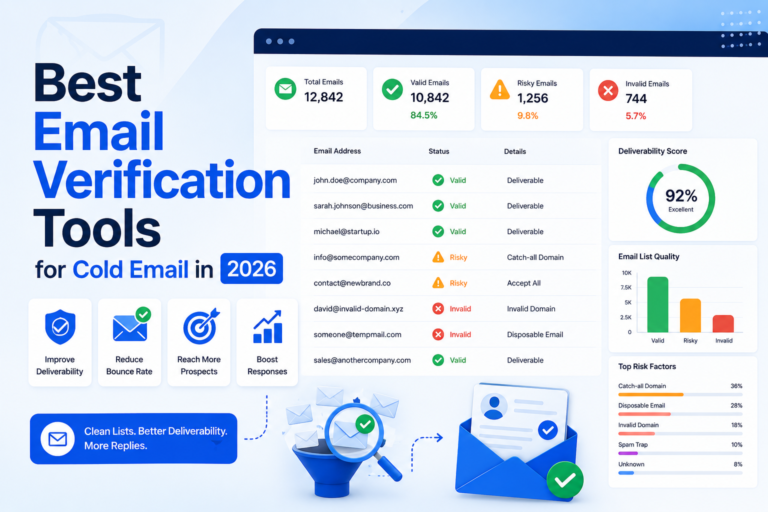
Before increasing sending volume, clean your prospect data. Our comparison of the best email verification tools for cold email can help you choose a verification platform for your workflow.
5. Ignoring Authentication
Every sending domain should have its authentication configured correctly before being added to your outreach system.
6. Scaling Too Quickly
Suddenly increasing sending volume can create abnormal patterns. Build sending history gradually and monitor performance throughout the process.
How to Calculate Your Own Cold Email Infrastructure
You don’t need to copy someone else’s setup. Start with your own target.
Step 1: Define Your Daily Sending Goal
For example:
1,500 cold emails per day
Step 2: Choose a Planning Volume Per Inbox
Suppose you use:
25 cold emails per inbox per day
Step 3: Calculate Inboxes
1,500 ÷ 25 = 60 inboxes
Step 4: Choose Inboxes Per Domain
Suppose you use:
2 inboxes per domain
Step 5: Calculate Domains
60 ÷ 2 = 30 domains
Your estimated infrastructure is therefore:
30 domains + 60 inboxes = approximately 1,500 cold emails/day at the assumed sending rate
The formula can be adjusted for any campaign size.
Build for Deliverability, Not Just Sending Volume
The goal of cold email infrastructure isn’t to send the maximum possible number of emails. It’s to create enough sending capacity while maintaining healthy domains, inboxes, and campaigns.
Start with your desired daily volume, calculate the number of inboxes required, distribute those inboxes across secondary sending domains, and then scale based on actual performance.
As a simple planning framework:
Inboxes needed = Daily target ÷ Planned daily emails per inbox
Domains needed = Inboxes required ÷ Planned inboxes per domain
Using a conservative example of 25 cold emails per inbox and 2–3 inboxes per domain gives you a practical starting point, but your real limits should be determined by deliverability data rather than a fixed formula.
If you’re unsure how many domains and inboxes your outreach requires, GrowCliq can audit your current cold email infrastructure and help you plan a setup around your sending goals.
So, How Many Domains for Cold Email Do You Really Need?
There isn’t one number that works for every campaign. Start with your target daily sending volume, decide on a conservative per-inbox planning range, calculate the inboxes required, and then distribute those inboxes across your sending domains.
As a simple planning framework:
Inboxes needed = Daily target ÷ Planned daily emails per inbox
Domains needed = Total inboxes ÷ Planned inboxes per domain
Using 25 cold emails per inbox and 2–3 inboxes per domain can provide a practical starting point for capacity planning, but your actual sending volume should be adjusted based on deliverability data, reputation, engagement, and provider behavior.
If you’re planning to scale outbound campaigns and aren’t sure how many domains for cold email your business needs, GrowCliq can help audit your current infrastructure and build a setup around your sending goals.
FAQs About Domains and Inboxes for Cold Email
How many domains do I need for cold email?
It depends primarily on your sending volume and the number of inboxes you operate on each domain. First calculate the inboxes required for your daily target, then divide that number by your planned inboxes per domain.
How many inboxes should I have per domain for cold email?
A common conservative structure is around 2–3 sending inboxes per domain. The purpose is to distribute sending activity and avoid concentrating too much of your outbound infrastructure on a single domain.
How many cold emails should I send per inbox per day?
There is no universally safe number. For capacity planning, many teams use conservative ranges such as 20–30 cold emails per warmed inbox per day and adjust based on deliverability, engagement, provider behavior, domain history, and campaign performance.
How many domains & inboxes do I need to send 1,000 cold emails per day?
At an assumed rate of 25 cold emails per inbox per day, you would need approximately 40 inboxes. With 2–3 inboxes per domain, that translates to roughly 14–20 domains.
Should I use multiple domains for cold email?
Multiple sending domains can help distribute outbound activity and separate cold outreach from your primary business domain. The number you need should be based on your sending requirements rather than an arbitrary target.
Should I use my main domain for cold email outreach?
For ongoing or higher-volume cold outreach, using separate secondary sending domains can reduce the risk of cold email activity affecting your primary business domain’s email reputation.