Cold Email Infrastructure: A Complete Step-by-Step Guide 2026
Cold email infrastructure is the technical foundation behind a reliable outbound email system. It includes outreach domains, sending inboxes, email authentication, sending platforms, warm-up, and deliverability monitoring that work together to support consistent inbox placement.
Proper email infrastructure configuration and management becomes especially important when businesses want to scale cold outreach across multiple domains and inboxes without putting their primary domain reputation at unnecessary risk.
In this guide, we’ll walk through the complete cold email infrastructure setup, from choosing outreach domains and configuring SPF, DKIM, and DMARC to connecting sending tools, warming inboxes, and monitoring deliverability.
What Is Cold Email Infrastructure?
old email infrastructure includes the domains, sending inboxes, DNS authentication records, email service providers, outreach platforms, and monitoring processes used to run outbound email campaigns.
Think of it as the technical layer behind your cold outreach. While your prospect list and email copy determine who you contact and what you say, your email infrastructure influences how reliably those messages can be sent and delivered.
A properly designed infrastructure can help distribute sending activity across multiple inboxes, protect your primary business domain, monitor sender health, and reduce avoidable deliverability problems as campaigns scale.
Who Needs Cold Email Infrastructure?
Cold email infrastructure is useful for:
- Lead generation agencies
- B2B service providers
- SaaS companies
- Recruiters
- Consultants
- Marketing agencies
If your business relies on outbound email for lead generation, having a reliable infrastructure is essential.
Why Cold Email Infrastructure Matters
A strong email infrastructure design creates a reliable foundation for outbound campaigns.
- Improve inbox placement
- Protect domain reputation
- Reduce spam complaints
- Increase reply rates
- Scale campaigns safely
- Improve overall campaign performance
Many businesses focus heavily on copywriting while ignoring technical setup. In reality, poor infrastructure can prevent emails from ever reaching prospects.
How to Set Up Cold Email Infrastructure Step by Step
A reliable cold email infrastructure setup should be built in stages. Start with your sending domains and inboxes, configure authentication correctly, connect your outreach platform, establish normal sending activity, and then monitor performance as campaigns run.
Step 1: Choose Outreach Domains
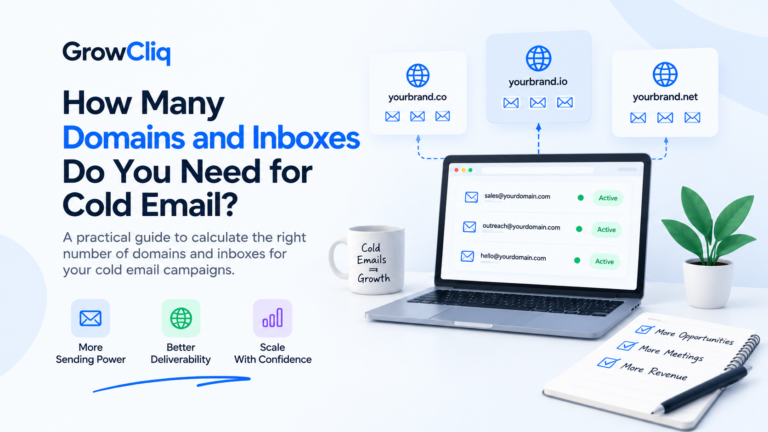
For ongoing cold outreach, many teams choose separate outreach domains rather than relying entirely on their primary business domain. This creates separation between day-to-day company email and outbound campaign activity and can reduce the impact on your primary domain if deliverability problems occur.
Your outreach domains should still look clearly connected to your brand. Avoid confusing spellings, misleading domain names, or domains that prospects would struggle to recognize.
Best Practices
- Use secondary domains for outreach
- Keep branding close to your main domain
- Avoid using newly registered domains too aggressively
- Set up one domain per sending system when needed
Example:
- Primary Domain: Growcliq.com
- Outreach Domains:
- getgrowcliq.com
- growcliqmail.com
- gogrowcliq.com
This approach helps protect your primary brand reputation.
Step 2: Set Up Sending Inboxes
Once your outreach domains are ready, create dedicated sending inboxes for your campaigns. These mailboxes form a core part of your email sending infrastructure and should be properly configured before they are connected to an outreach platform.
Common providers include Google Workspace and Microsoft 365.
Example Inbox Setup
- peter@getgrowcliq.com
- john@growcliqmail.com
- peter@gogrowcliq.com
Best Practices
- Use real human names
- Add profile photos
- Complete sender information
- Create email signatures
Well-configured inboxes improve trust and deliverability.
Step 3: Configure SPF, DKIM, and DMARC
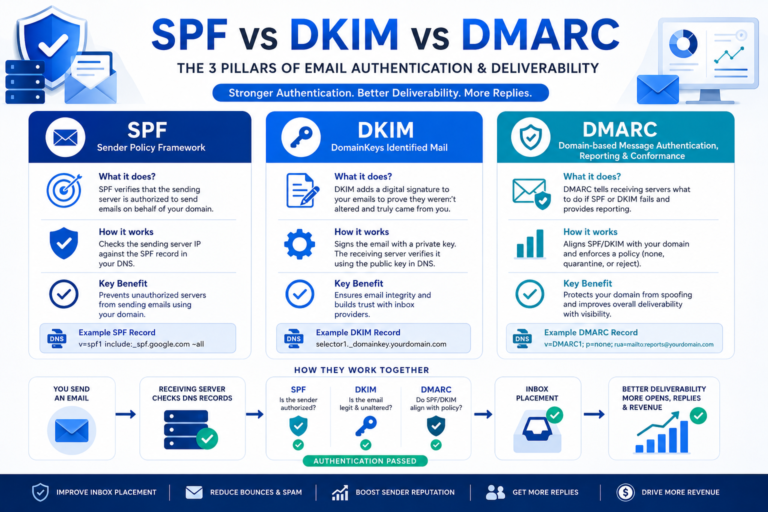
SPF, DKIM, and DMARC are email authentication mechanisms that help receiving systems verify where messages came from and whether they were authorized by the sending domain.
Proper email infrastructure configuration should include authentication before outbound campaigns begin. Authentication alone does not guarantee inbox placement, but incorrect or missing records can create unnecessary deliverability and domain-reputation problems.
- SPF: SPF specifies which servers are allowed to send emails on behalf of your domain.
- DKIM: DKIM digitally signs emails and helps verify message authenticity.
- DMARC: DMARC provides instructions for handling emails that fail authentication checks.
Why It Matters
Without proper authentication:
- Emails may go to spam
- Domain reputation can suffer
- Deliverability rates may decrease
Always verify DNS records before launching campaigns.
Step 4: Connect Sending Software
Cold email campaigns require specialized sending platforms like:
- Instantly
- Lemlist
- Apollo
- Saleshandy
- Smartlead
These tools help manage inboxes, automate campaigns, and track performance.
What to Check:
- Email account connection
- Tracking settings
- Sending limits
- Domain authentication status
Step 5: Warm Up Your Inboxes
Never start sending large volumes of cold emails from a brand-new inbox. Inbox warm-up gradually builds sender reputation.
Typical Warm-Up Process:
- Week 1: 10-15 emails per day
- Week 2: 15-20 emails per day
- Week 3: 20-30 emails per day
- Week 4: 30-40 emails per day
Gradually increasing activity helps establish trust with mailbox providers.
Step 6: Monitor Deliverability
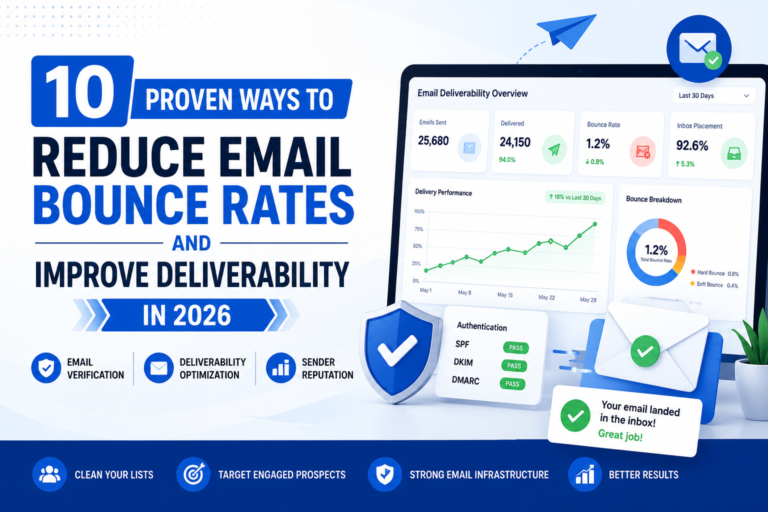
Building the setup is only the beginning. Email infrastructure management requires ongoing monitoring because sender reputation, bounce patterns, mailbox performance, and campaign behavior can change over time.
As your campaigns scale, regularly review:
- Inbox placement
- Bounce rate
- Reply rate
- Spam complaints
- Domain reputation
Regular monitoring helps you identify unusual bounce patterns, reputation problems, or underperforming sending accounts before they affect a larger portion of your outreach.
How to Optimize Your Email Infrastructure Over Time
Email infrastructure optimization means adjusting your setup based on actual sending performance rather than treating infrastructure as a one-time configuration.
As campaigns run, review which domains and inboxes are performing consistently and investigate accounts showing unusual bounce rates, spam placement, authentication problems, or declining engagement.
Optimization may include:
- Pausing unhealthy sending accounts
- Reviewing bounce and complaint patterns
- Rechecking SPF, DKIM, and DMARC configuration
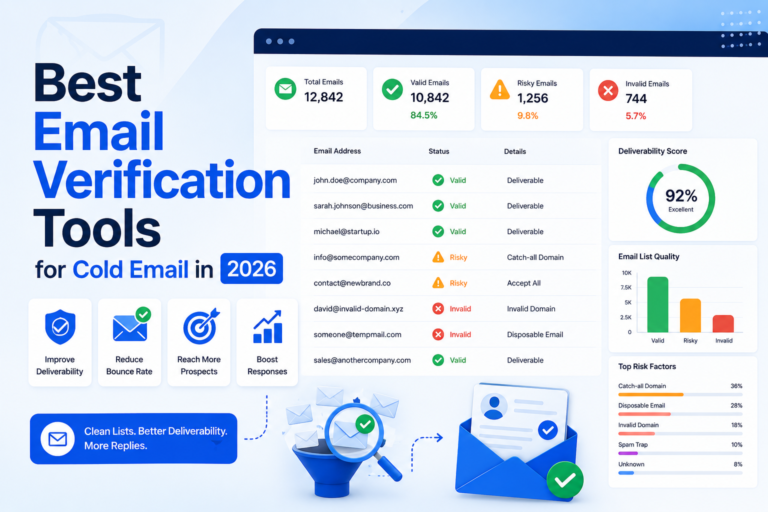
- Removing invalid or risky contacts before sending
- Adjusting sending volume when necessary
- Reviewing tracking configuration
- Replacing or repairing underperforming infrastructure
The goal is not simply to send more emails. It is to maintain a stable outbound system as campaign volume and client requirements change.
Example Cold Email Infrastructure Setup
The exact infrastructure required depends on campaign volume, mailbox-provider limits, sending strategy, and the number of prospects being contacted. Instead of applying one fixed domain-to-inbox formula, build enough capacity to keep sending controlled across your accounts.
Example infrastructure components:
- Separate outreach domain(s)
- Dedicated sending inboxes
- SPF configured
- DKIM configured
- DMARC configured
- Cold email sending platform connected
- Sending activity established gradually
- Email verification process in place
- Deliverability monitoring enabled
As volume increases, additional domains and inboxes can be introduced rather than aggressively increasing activity from existing accounts.
Cold Email Infrastructure Checklist
Before launching campaigns, verify the following:
Recommended Tools for Cold Email Infrastructure
Purpose
Tools
Common Cold Email Infrastructure Mistakes
Many businesses make avoidable mistakes that damage deliverability.
Sending From Primary Domain
Always separate outreach from your main business domain.
Skipping Authentication
SPF, DKIM, and DMARC should be configured before sending emails.
Scaling Too Quickly
Increasing sending volume too aggressively may trigger spam filters.
Ignoring Warm-Up
New inboxes require reputation building before large-scale campaigns.
Not Monitoring Performance
Deliverability issues often go unnoticed until campaign results decline.
Conclusion
Cold email infrastructure provides the technical foundation for a scalable outbound system. Outreach domains, sending inboxes, authentication, list quality, sending controls, and ongoing monitoring all influence how reliably campaigns can operate.
More importantly, infrastructure is not a one-time setup. Effective email infrastructure management and optimization requires monitoring performance, identifying problems early, and adjusting the system as campaign volume changes.
Before increasing outreach volume, make sure the underlying infrastructure is properly configured and that your prospect data, sending behavior, and deliverability processes are working together.
FAQs on Cold Email Infrastructure
What is cold email infrastructure?
Cold email infrastructure is the technical setup behind outbound email campaigns, including domains, inboxes, DNS authentication, warm-up, and deliverability monitoring.
Why is SPF, DKIM, and DMARC important?
These records help email providers verify that your emails are legitimate and reduce the chances of messages being flagged as suspicious.
How many domains do I need for cold email?
The number of domains depends on sending volume. Small campaigns may use 1-2 domains, while larger campaigns often use multiple domains to distribute sending activity.
Can I send cold emails from my primary business domain?
It is generally recommended to use separate outreach domains to protect your primary domain reputation.
What is email infrastructure management?
Email infrastructure management is the ongoing process of monitoring sending domains, inboxes, authentication, bounce patterns, sender reputation, and deliverability after the initial setup. It helps businesses identify problems and maintain a more stable outbound system as campaigns scale.
How long should email warm-up last?
Most businesses warm up inboxes for 2-4 weeks before scaling outbound campaigns.
Which tools are best for cold email infrastructure?
Popular tools include Google Workspace, Microsoft 365, Instantly, Lemlist, Mailreach, MXToolbox, and Google Postmaster Tools.
What does email infrastructure configuration include?
Email infrastructure configuration typically includes setting up outreach domains, creating sending inboxes, configuring SPF, DKIM, and DMARC, connecting a sending platform, reviewing tracking settings, and establishing monitoring processes before campaigns scale.